Free QR code generator with logo, colors, PNG and SVG export

Build scannable QR codes for websites, Wi-Fi logins, contact cards, WhatsApp chats, plain text and payment flows. Adjust foreground and background colors, upload a small logo, then download a crisp PNG for social posts or a scalable SVG for large-format print.

USD
%

QR code type

Customize appearance

The color of the dark pixels in your QR code. Pick a strong contrast against the background.
rgba(0,0,0,1)
The color behind the QR code. Usually white or very light for reliable scanning.
rgba(255,255,255,1)
Logo

How to Use QRMaker

Simple but powerful QR code generator

Steps

1. Select QR code type

2. Choose foreground and background colors

3. Upload your logo

4. Paste your content

5. Click generate

6. Download your QR code in SVG or PNG format

About QR Maker

An awesome tool to create personalized QR codes.

QR Maker is a QR code generator that lets you create personalized QR codes for free. It supports URL, vCard, Email, Call, SMS, Whatsapp, WIFI, Paypal, and Bitcoin.

Know More About Us
About QR Maker

What is a QR code and why it still matters in 2026

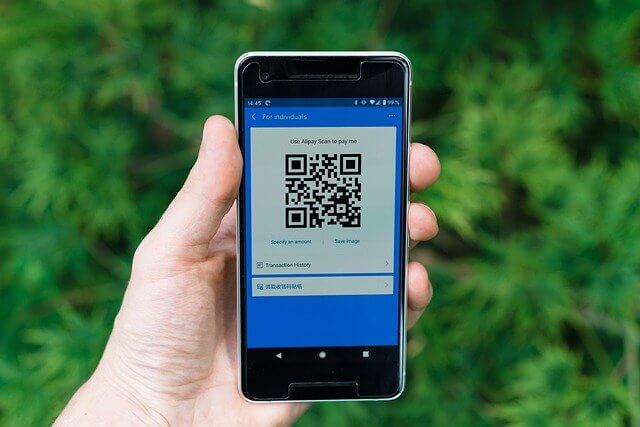
A QR code is a two-dimensional barcode that smartphones can read instantly with the built-in camera. Unlike traditional barcodes, QR codes store far more information and can link people to a URL, phone number, Wi-Fi configuration, or structured contact data in one tap.

For businesses, QR codes shorten the path from physical touchpoints—packaging, posters, menus, event badges, business cards—to measurable digital actions like sign-ups, reviews, payments and support chats. When used with clear calls-to-action and trustworthy destinations, QR remains one of the most frictionless bridges between offline and online experiences.

Modern audiences expect speed and clarity. A well-designed QR code reduces typing errors, removes awkward URL copying on mobile, and works reliably across iOS and Android when you follow basic contrast and sizing guidelines.

How our QR Maker helps you publish professional codes faster

This tool focuses on practical workflows: pick a content type (for example URL or Wi-Fi), enter the payload once, style the code to match your brand, and export files you can drop straight into Canva, print shops, or your CMS.

Vector SVG output is ideal when you need sharp edges on billboards, trade-show banners, or large window decals. Raster PNG is perfect for social graphics, slide decks, email signatures and quick sharing in messaging apps.

By centralizing generation in one place, you reduce inconsistent sizes, random-looking colors and broken short links scattered across teams. Even small teams benefit from a repeatable template: same quiet zone, same color system, same download format.

Supported QR content types and typical use cases

URL codes link to landing pages, product manuals, app download pages, or localized campaign microsites. Wi-Fi codes let guests join your network without spelling SSIDs or passwords. vCard-style contact payloads simplify networking at conferences and sales meetings.

Email and SMS payloads can pre-fill subject lines or messages so customers reach you with context. WhatsApp codes open chats with a prefilled message—popular for support, reservations and conversational commerce. Plain text codes can share short tokens, pickup codes or instructions where a full page is unnecessary.

Payment-related payloads (for example PayPal or Bitcoin URI formats) should always be tested with a real device on the receiving wallet or app version you expect customers to use. Regulations and app capabilities vary by region, so treat these as starting points and verify before publishing widely.

Design tips for reliable scanning (contrast, size and logo placement)

Contrast is the single most important factor. Dark modules on a light background—or the inverse with equally strong separation—scan far more reliably than low-contrast gradients or pale pastels that look elegant to humans but confuse cameras.

Leave a quiet zone (empty margin) around the code. Avoid rounding or clipping the three finder patterns in the corners. If you add a logo, keep it small relative to the full symbol and verify scanning from multiple phones and distances.

Test before print: scan from a few angles, in indoor lighting and daylight, and after downscaling for small labels. If a code must be viewed from far away, increase the physical size or simplify the encoded payload to use a lower data volume, which can improve decode speed.

Privacy, security and responsible QR usage

QR codes are powerful because they hide the destination until scanned. That same trait can be abused in phishing or deceptive marketing. Only encode destinations you control, use HTTPS where possible, and avoid surprising redirects that harm trust.

If you generate codes that include personal information (for example phone numbers or prewritten messages), treat exports with the same care as any other customer-facing asset. Rotate or invalidate codes that point to expired promotions.

For Wi-Fi sharing, consider a guest network instead of exposing core infrastructure credentials. Where regulations apply—hospitality, finance, healthcare—document your processes and train staff on social engineering risks tied to unsolicited QR stickers.

Measuring success: landing pages, UTMs and campaign hygiene

Pair QR codes with a dedicated landing page or a well-structured URL that includes UTM parameters. That helps analytics tools attribute traffic to specific posters, packaging lines or store locations instead of lumping everything under direct traffic.

Use consistent naming conventions for campaigns and avoid stacking redundant redirects. Long redirect chains slow mobile experiences and can break in environments with intermittent connectivity.

Review the entire journey on mobile data, not only Wi-Fi in your office. Compress hero images, prioritize readable typography above the fold, and keep primary actions obvious for first-time visitors arriving from a scan.

FAQ — QR codes, file formats and best practices

Straight answers to questions teams ask before rolling QR codes across marketing, operations and customer support.

What is the best image format for QR codes — PNG or SVG?

PNG is ideal for most digital channels and quick sharing because it is widely supported and easy to embed. SVG is best for large-format print or multi-size reuse because it stays sharp when scaled. Always re-scan the exported file after resizing.

How large should a printed QR code be?

It depends on scanning distance, lighting and how much data you encode. As a practical rule, prioritize physical size and contrast over decorative effects. If scanning must work from several meters away, print bigger and test early with the smallest phone camera you expect customers to use.

Can I put a logo in the middle of a QR code?

Yes, if the logo is small relative to the code and you maintain strong contrast everywhere else. After adding a logo, test scanning on multiple devices. If decoding becomes slow, reduce logo size or use a shorter payload.

Will a colorful background break scanning?

It can. Busy backgrounds, low contrast, reflective coatings, or gradients that weaken module edges reduce reliability. If you want a colorful layout, isolate the QR on a clean block with a protected quiet zone.

Are QR codes safe?

The QR format itself is neutral; risk comes from where the code sends users. Train teams to distrust tampered stickers, use HTTPS destinations you control, and communicate the expected landing page so users can recognize phishing attempts.

Can I use the same QR code for multiple languages?

The QR payload is fixed, but the destination page can offer language selection, geo-based localization or browser language detection. Alternatively, create separate codes per locale for cleaner analytics.

What is a quiet zone?

A quiet zone is the margin of empty space around the QR symbol. Without it, cameras may fail to locate finder patterns. Avoid placing other graphics, text or folds through this margin.

Do QR codes expire?

The graphic does not expire, but the destination can break if a URL changes, a domain lapses, or a short link service shuts down. Maintain redirects and update printed materials when campaigns end.